A collection of more than 250 articles about Software Design & Development Best Practices.
With code samples for PHP/Symfony and Fortran applications.
Official book presentation: A Year With Symfony
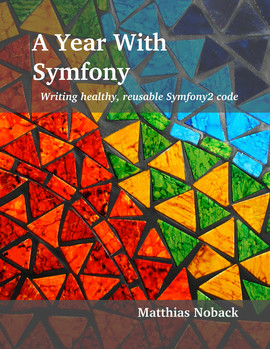
After working on my book “A Year With Symfony” for four months, I published it yesterday at the Dutch Symfony Usergroup meetup in Amsterdam. It was really great to be able to do this real-time while everybody in the room was looking at the screen waiting for the build process to finish.
The book is hosted on Leanpub, which is a great platform for writing and publishing books. They provide the entire infrastructure. You get a good-looking landing page and they handle all things related to payment.
Why Symfony? Seven Facts
A couple of days ago I was asked to explain myself: “Why Symfony?”. I was reminded of this video - an interview with Fabien Potencier:
Fabien mentions some facts about Symfony that are key to understanding it, as an outsider. These same facts (and some more) will also help you to “sell” Symfony to others.
A New Book About Symfony2: A Year With Symfony
As you may have heard, I’m working on a book for Symfony2 developers. Besides The Book, which is the user documentation for building Symfony applications, some book-like websites and just a few e-books, there are currently no books for intermediate or advanced Symfony developers. My new book, called A Year With Symfony is exactly that.
If you have been reading the documentation and maybe some blog posts, you will want to know how you can get one step further. You wonder how you could structure your application, for it to be maintainable for more than a month. You ask yourself what it would take to write good bundles, which guidelines you and your team should define and follow. You may also question the built-in security measurements and you or your manager would like to know what needs to built on top of them to make a real secure application. A Year With Symfony will help you find an answer to all these questions.
Symfony2: Rich Console Command Output Using AOP
I really like to write console commands for Symfony2 applications. There is something very cool about the Symfony Console Component which always makes me look for new things that I could do from the command line. A very simple command might look like this:
namespace Matthias\BatchProcessBundle\Command;

use Symfony\Bundle\FrameworkBundle\Command\ContainerAwareCommand;
use Symfony\Component\Console\Input\InputInterface;
use Symfony\Component\Console\Output\OutputInterface;

class BatchProcessCommand extends ContainerAwareCommand
{
    protected function configure()
    {
        $this->setName('matthias:batch-process');
    }

    protected function execute(InputInterface $input, OutputInterface $output)
    {
        // do something here

        ...
    }
}
Writing good, clean command classes can very problematic: you want to provide detailed output to the user, and tell him what is currently going on, what the result of some action was, or why something failed. You need the console output for this. It is an instance of OutputInterface and it is provided as the second argument of the command’s execute() method. The body of this method will usually look like this:
PHPUnit & Pimple: Integration Tests with a Simple DI Container
Unit tests are tests on a micro-scale. When unit testing, you are testing little units of your code to make sure that, given a certain input, they produce the output you expected. When your unit of code makes calls to other objects, you can “mock” or “stub” these objects and verify that a method is called a specific number of times, or to make sure the unit of code you’re testing will receive the correct data from the other objects.
Slides for my "Dependency Injection Smells" talk
Below you will find the slides for my presentation about Dependency Injection Smells (see also one of my previous posts from which this idea originated). If you have any questions, or feedback, please let me know by posting a comment below (or on joind.in).
Dependency Injection Smells - Speaking at the Dutch PHP Conference
This week is Dutch PHP Conference week! It is something I’m very excited about. Three years ago I attended this conference for the first time. It was also my first time to visit any (PHP) conference at all, and this is a big conference, with lots of speakers, lots of attendees and multiple tracks. The Dutch PHP Conference (DPC) has a certain grandeur - many large rooms, many famous developers speaking. It is an inspiring event. Visiting the conference back in 2010 lit a fire in me to start investigating anything there was to know about writing good code: reusable, clean code, with well named, short and testable methods, readable and maintainable by others. In other words, I started being critical of the code I produced.
Symfony2: Defining and dispatching custom form events
The Symfony Form Component has an architecture that keeps inspiring me. It supports horizontal and vertical inheritance and it has a solid event system on a very fine-grained level. In this post I would like to explain how you can expand the event system with your own events. As an example., I will create a new event type used for indicating that the bound form is valid.
Using event listeners and event subscribers with forms
As you can read in a Symfony Cookbook article you can already hook into special form events, defined in Symfony\Component\Form\FormEvents:
Symfony2: Security enhancements part II
There’s a much more detailed chapter about this subject in my book A Year With Symfony.
Part II of this series is all about validating the user’s session. You can find Part I here, if you missed it.
Collect Failed Authentication Attempts
Now and then a user will forget his password and try a few times before going to the “reset password” page. However, when a “user” keeps trying to authenticate with bad credentials, you may be subject to a brute-force attack. Therefore, you should collect failed authentication attempts. Your strategy may then be to block the account until further notice, while providing the user with a way to re-activate his account. When authentication fails, an event is fired, which you may intercept by registering an event listener or subscriber: